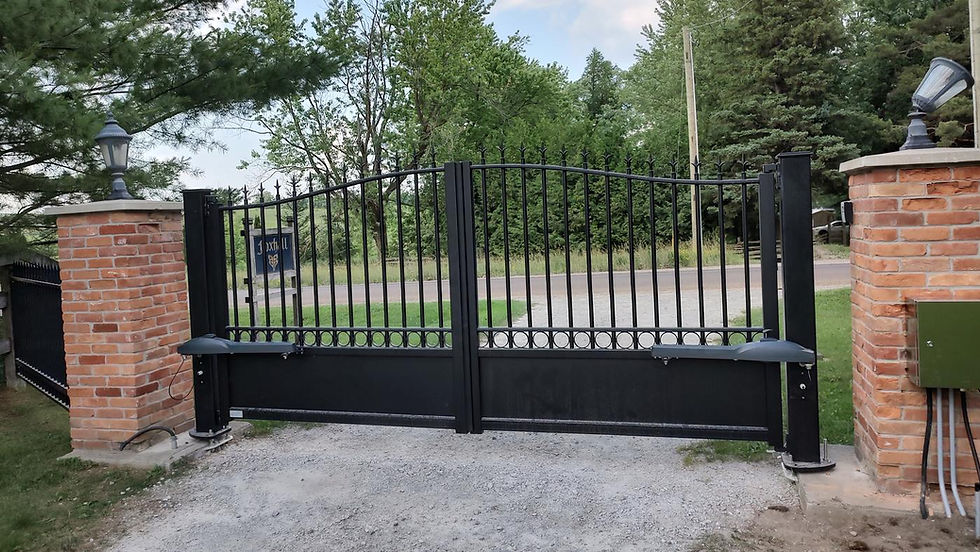
How to Make Sure Your Gate Is UL 325 Compliant

Every automated gate you install gets measured against a set of safety standards, by inspectors, by insurers, and by the courts if someone gets hurt. Knowing exactly what those standards require is the best protection you and your customers have.
The core standard is UL 325. Since 2017 it has been published as ANSI/CAN/UL 325, a joint Canada–US standard recognized as a National Standard of Canada and referenced in the Canadian Electrical Code. Paired with ASTM F2200 for gate construction, it's the benchmark for every automated vehicular gate you put in.
If you're installing a new gate or upgrading an existing one, this guide covers what it takes to make the system UL 325 compliant on an Ontario job, from usage class and entrapment protection to approvals, site layout, and handoff.
Here's a breakdown of the compliance steps we'll cover:
Determine the Gate's Usage Class (Class I–IV)
Check That the Operator Is UL 325 Listed (or Replace It)
Add Two Independent, Monitored Entrapment Protection Devices
Make Sure the Gate Meets ASTM F2200
Cover Pinch Points and Close Up Openings in the Gate Frame
Give Pedestrians a Separate Walk-Through Gate
Move Controls Out of Reach of the Moving Gate
Post Warning Signs on Both Sides of the Gate
Test the Full System and Walk the Owner Through It
How to Make Sure Your Gate is UL 325 Compliant
ANSI/CAN/UL 325 governs the operator and its installation. ASTM F2200 governs the gate. On an Ontario job you also need every electrical component carrying a certification mark recognized by ESA. Miss any one of the three and the system isn't compliant.
On upgrades: the standard isn't retroactive, so a working older system isn't automatically non-compliant. But once you automate an existing manual gate, swap an operator, or take on major work, you own the whole installation. Bring it up to the current standard before you sign off.
A. Determine the Gate's Usage Class (Class I–IV)
The usage class drives your operator selection and entrapment protection requirements, so settle it before you quote.
Class I: Residential, serving one to four single-family dwellings.
Class II: Commercial or general public access, including multi-residential buildings with five or more units, hotels, parking garages, and retail.
Class III: Industrial or limited access, not open to the general public.
Class IV: Restricted access supervised by security staff.
The operator's marking has to cover the class of the site. Watch for residential operators on condos and townhouse complexes, which are Class II.
B. Check That the Operator Is UL 325 Listed (or Replace It)
Confirm the operator is listed to ANSI/CAN/UL 325 for your gate type and usage class, and that the listing is marked on the unit.
In Ontario, that's not enough on its own. The Ontario Electrical Safety Code and O. Reg. 438/07 require every electrical product to carry a certification mark recognized by the Electrical Safety Authority (ESA) before it's sold or installed. A US-only listing doesn't cut it, so check for a Canadian mark (such as cUL, CSA, or cETL) on the operator and on every accessory you connect to it. Installing unapproved equipment is an offence, with fines of up to $1 million for a corporation.
On upgrades, check the operator's age. Operators built after January 2016 must monitor external entrapment devices, and from August 2018 they won't run without them. If an older unit can't accept monitored devices, replacement is usually the cleanest path. Line-voltage supply work also needs to be done by a Licensed Electrical Contractor, with a notification filed with ESA.
C. Add Two Independent, Monitored Entrapment Protection Devices
Every entrapment zone, in each direction of travel, needs two independent means of entrapment protection. The operator's inherent sensing (Type A) counts as one. The second is typically a monitored photo eye (Type B1) or a monitored edge (Type B2).
A few things that trip installers up:
Use only devices the operator manufacturer lists as compatible. Monitoring methods vary between brands and aren't interchangeable.
Map every entrapment zone before ordering, including the fence line on slide gates and the hinge side on swing gates. Long or double gates often need more devices than the operator has inputs for.
An unmonitored device doesn't count toward compliance, even if it works.
Plan device placement for Ontario winters. Photo eyes mounted too low get buried in snowbanks and plow windrows, and a blocked or iced device will leave the customer with a gate that won't close.
D. Make Sure the Gate Meets ASTM F2200
A listed operator on a non-compliant gate is a non-compliant system. The current edition is ASTM F2200-24. The general requirements for all gate types include:
No protrusions, with limited exceptions such as ornamental top pickets, locks, wheels, and positive stops.
The gate can't fall over if it detaches from its supporting hardware.
The gate doesn't move under gravity when disconnected from the operator.
The gate moves freely by hand in both directions before the operator goes on.
On retrofits, fix the gate first. Worn hinges, flat or seized rollers, frost-heaved posts, and sagging leaves all need to be sorted before you automate. The operator won't compensate for them, and the inherent sensing will fight them all season.
E. Cover Pinch Points and Close Up Openings in the Gate Frame
For slide gates, ASTM F2200 requires:
All openings guarded or screened from the bottom of the gate to at least 72 in (1.83 m) above grade, so a 2¼ in (57 mm) sphere can't pass through. This covers the gate and the section of fence it covers when open.
Gaps between the gate and fixed objects, such as a support post, no larger than 2¼ in (57 mm).
Exposed rollers covered, and positive stops at both ends of travel.
For swing gates, the gate can't create an entrapment area with nearby fixed objects, and any pillar or column it covers when open can be no wider than 4 in (102 mm).
On ornamental gates with wide picket spacing, welded mesh or screening panels are the usual fix. Factor them into the quote up front.
F. Give Pedestrians a Separate Walk-Through Gate
UL 325 requires a separate pedestrian entrance for any automated vehicular gate. Place it close enough that people actually use it and far enough that it's out of reach of the moving gate. If foot traffic is already cutting through the vehicle opening on an existing site, the pedestrian access needs to be moved or improved as part of the job.
G. Move Controls Out of Reach of the Moving Gate
Fixed user controls must be:
At least 6 ft (1.83 m) from any moving part of the gate. Some manufacturers call for more, so follow the manual.
Positioned so the user can't reach over, under, around, or through the gate to use them.
Within line of sight of the gate area.
Outdoor or easily reached controls need a security feature, such as a keypad code, to prevent unauthorized use. Emergency access controls are the main exception. Keypads mounted on the gate post are one of the most common violations on older sites.
H. Post Warning Signs on Both Sides of the Gate
Install at least two permanent warning signs, one on each side, visible whether the gate is open or closed. Use the signs supplied with the operator or ones matching the manufacturer's spec. On upgrades, replace any that are faded, damaged, or missing.
I. Test the Full System and Walk the Owner Through It
Test every entrapment device in each direction of travel. Block each photo eye and activate each edge with the gate moving, and confirm it stops and reverses. Check the inherent sensing, the manual release, and that the operator won't run with a monitored device disconnected.
Then do a proper handoff:
Show the owner how to operate the gate, use the manual release, and test the safety devices.
Leave the installation and maintenance manuals on site and recommend monthly safety checks.
Recommend a service visit after the first hard freeze, when ground movement and ice can change how the gate runs.
Photograph the finished installation and keep records of the devices installed and test results. If there's ever a claim, that file is your best defence.
UL 325 Gate Compliance Checklist
Run through this before you sign off on a new install or an upgrade. Any "no" means the system isn't compliant yet.
# | Requirement | What to Check |
1 | Is the usage class identified? | Site is classed I (residential), II (commercial/public access), III (industrial/limited access), or IV (restricted/supervised), and the operator is marked for that class |
2 | Is the operator UL 325 listed? | Operator is listed to ANSI/CAN/UL 325 for the gate type; older operators that can't accept monitored devices are replaced |
3 | Is everything approved for Ontario? | Operator and every connected accessory carry an ESA-recognized Canadian certification mark, and line-voltage work is done by an LEC with an ESA notification |
4 | Is every entrapment zone protected? | Two independent means of entrapment protection cover every entrapment zone, in each direction of travel |
5 | Are external devices monitored and compatible? | Photo eyes and edges are monitored, listed as compatible by the operator manufacturer, and mounted clear of snow buildup |
6 | Does the gate meet ASTM F2200? | No protrusions, can't fall over if detached, doesn't move under gravity, and moves freely by hand before automation |
7 | Are openings screened? | On slide gates, openings up to 72 in (1.83 m) above grade, in the gate and the fence it covers when open, stop a 2¼ in (57 mm) sphere |
8 | Are pinch points guarded? | Gaps to fixed objects are 2¼ in (57 mm) or less, rollers are covered, and positive stops are at both ends of travel |
9 | Is there separate pedestrian access? | A walk-through gate is in place, out of reach of the moving vehicular gate |
10 | Are controls placed safely? | Fixed controls are at least 6 ft (1.83 m) from the gate, out of reach through it, in line of sight, and secured against unauthorized use |
11 | Are warning signs posted? | At least two permanent signs, one on each side, visible with the gate open or closed |
12 | Does the manual release work? | Manual release functions and is accessible only to authorized users |
13 | Does the system pass testing? | Gate stops and reverses for each device in each direction, and won't run with a monitored device disconnected |
14 | Is the handoff documented? | Owner trained on operation, release, and testing; manuals left on site; photos and test results on file |
Get Better Hardware and Operators from Graft Gate Supply
Compliance starts with the gate, and the gate is only as good as the hardware it runs on. Graft supplies Ontario installers with the gate hardware to build and upgrade systems that pass the checklist above, from the parts that keep a gate running true to the components that close up pinch points and keep people safe.
Browse our gate hardware, or talk to our team about what you need for your next install or retrofit.